

How to Build an IT Budget for a Small Business: What to Plan for in 2027

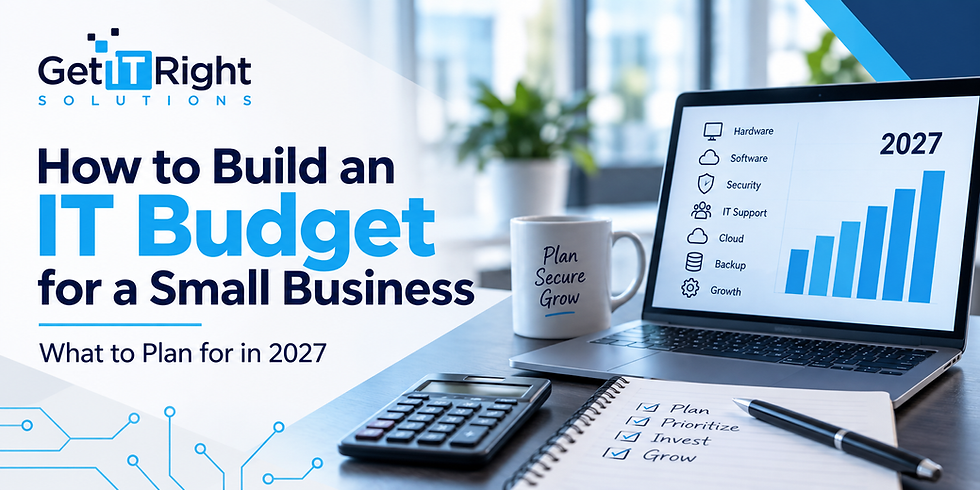
Technology is essential to nearly every part of running a modern business. Employees depend on computers, networks, cloud applications, communication platforms, cybersecurity tools, and reliable access to company data every day. Yet technology spending can be difficult to predict when there is no clear plan in place.
Building an IT budget for a small business can help turn technology expenses from unexpected costs into planned investments. Instead of waiting for computers to fail, software renewals to arrive, or infrastructure problems to demand immediate attention, businesses can prepare for their technology needs in advance.
A well-planned small business IT budget should account for both day-to-day technology expenses and the larger investments required to keep the organization productive, secure, and prepared for growth.
Here are some of the most important areas to consider when building your technology budget for 2027.
Why Small Businesses Need an IT Budget
Without a dedicated IT budget, technology expenses can easily become reactive. A server fails, an employee needs a new laptop, a software subscription increases in price, or a network problem suddenly requires new equipment.
Planning ahead gives businesses more control over those costs.
Effective IT budgeting also creates an opportunity to look beyond immediate expenses. Business owners can identify aging equipment, upcoming software renewals, security improvements, and future projects before they become urgent.
This works especially well when budgeting is part of a broader technology strategy. As discussed in Building a Proactive IT Strategy for SMBs in 2026 to Prevent Future Problems, proactive IT planning focuses on anticipating technology needs rather than continually reacting to problems.

1. Hardware Replacement and Upgrades
Computers, servers, networking equipment, and other hardware do not last forever. Even equipment that still works may eventually struggle to support newer software or meet the performance and security requirements of the business.
A technology budget for a small business should therefore include planned hardware replacement.
Start by identifying the devices and infrastructure currently in use and considering which assets may need to be upgraded or replaced during the next budget period. This can include:
Desktop computers and laptops
Servers
Monitors and peripherals
Firewalls
Switches and wireless access points
Phone equipment
Other network infrastructure
Planning replacements gradually can be easier on the budget than discovering that several critical systems need to be replaced at the same time.
Get IT Right Solutions' IT procurement services can also help businesses source computers, servers, networking equipment, software, and internet services while planning infrastructure around their actual requirements.
2. Software and Licensing Costs
Software is another major category to include when estimating IT costs for a small business.
Businesses may have recurring expenses for Microsoft 365, industry-specific applications, security tools, cloud platforms, communication software, and other subscription-based services. Those costs can increase as a company adds employees or adopts additional applications.
Review the software currently being used and document:
Renewal dates
Number of licenses
Cost per user or device
Unused licenses
Expected staffing changes
Applications that may need to be added or replaced
This review can help businesses budget more accurately while identifying unnecessary spending.
3. Cybersecurity
Cybersecurity should have a defined place in the IT budget rather than being treated as an optional expense that only receives attention after a problem occurs.
Security spending can include endpoint protection, firewalls, monitoring, software updates, access controls, email protection, employee security measures, and other safeguards.
The exact requirements will depend on the business, its technology environment, and the information it handles. The goal is to ensure that security investments keep pace with changes to the organization.
Get IT Right Solutions includes cybersecurity protection as part of its managed IT and support services, alongside proactive monitoring, maintenance, patch management, and strategic technology guidance.
4. Managed IT and Technical Support
Another important part of a small business IT budget is ongoing support.
Technology problems can interrupt productivity even when the underlying issue seems minor. Employees may encounter login problems, connectivity issues, malfunctioning hardware, software errors, or other technical difficulties that prevent them from doing their jobs efficiently.
Businesses should determine how ongoing support will be provided and include that cost in their annual planning.
Managed IT services can provide a more predictable approach by combining services such as helpdesk support, proactive monitoring, routine maintenance, patch management, vendor coordination, cybersecurity, and strategic guidance.
This can also make IT expenses easier to anticipate than relying entirely on support whenever individual problems occur.
5. Cloud and Hosting Expenses
Cloud technology has become another recurring component of IT planning for small businesses.
Cloud costs may include Microsoft 365, virtual servers, data storage, website hosting, cloud applications, backups, and other hosted infrastructure. As businesses grow, these expenses can change along with storage requirements, employee counts, and application usage.
When preparing the budget, review what cloud resources the business currently uses and whether those resources still match its needs.
Get IT Right Solutions offers cloud and hosting services that include private and public cloud environments, AWS, Microsoft Azure, Microsoft 365, migrations, hosting, and ongoing management.
Including cloud expenses in annual IT planning can help businesses prepare for growth while keeping a closer eye on recurring technology costs.
6. Backup and Disaster Recovery
Backups can be easy to overlook because they operate in the background, but they become extremely important when data or systems are unavailable.
Businesses should budget for more than simply storing copies of files. An effective approach also considers how systems and information would be restored following an outage, hardware failure, cyber incident, or other disruption.
Get IT Right Solutions' backup and disaster recovery services are designed to protect business data and help restore operations following unexpected events.
Businesses can also evaluate their preparedness by considering a simple question: how long could operations continue without access to important technology? The Get IT Right Solutions blog, How Long Could Your Business Survive an IT Outage?, explores why recovery planning should happen before downtime occurs.
7. Future Growth and IT Projects
An IT budget should not only cover what the business needs today. It should also account for where the organization expects to be over the next year.
Hiring employees, opening another location, moving offices, adding services, or adopting new applications can all create new technology requirements.
For example, adding employees may require new computers, software licenses, email accounts, security tools, phone extensions, and network capacity. An office expansion could require new cabling, wireless equipment, internet services, and additional infrastructure.
Include known projects in the budget early so that technology does not become an afterthought when growth occurs.
Leave Room for Unexpected IT Costs
Even the best IT budget for a small business cannot predict every expense.
Hardware can fail unexpectedly. A critical application may change its licensing model. An internet provider may need to be replaced. A new client requirement may create additional security needs.
Setting aside a portion of the technology budget for unexpected expenses can reduce the impact of these situations.
At the same time, businesses can reduce surprises by maintaining an accurate picture of their technology. IT asset management can help identify aging devices, unsupported software, and upcoming replacement needs before they become urgent problems.
Turn Your IT Budget Into a Technology Roadmap
The most effective IT budgeting is connected to a longer-term technology strategy.
Instead of simply deciding how much money to spend on IT, consider what the business needs its technology to accomplish. Which systems need to be replaced? Where are the biggest risks? What technology investments could improve productivity? What will need to change if the company grows?
A technology roadmap can organize those priorities by urgency, cost, and business impact.
Get IT Right Solutions provides strategic virtual CIO guidance through its managed IT services, including technology planning and budgeting designed to align IT decisions with long-term business goals.
Start Planning Your 2027 IT Budget
A strong technology budget for a small business provides more than a list of expected expenses. It gives the organization a plan for maintaining reliable systems, strengthening security, supporting employees, and preparing for future growth.
By accounting for hardware, software, cybersecurity, managed IT support, cloud services, backup and recovery, and future projects, businesses can make more informed technology decisions throughout the year.
Get IT Right Solutions helps businesses simplify technology planning with managed IT support, cloud solutions, cybersecurity, backup and disaster recovery, network services, and IT procurement.
If you are preparing your 2027 technology budget and want a clearer picture of what your business may need, contact Get IT Right Solutions to start building an IT strategy that supports your goals.


Comments